
Using Video for Sales Prospecting: Beginner Guide
By Ryane Tully · March 13, 2024
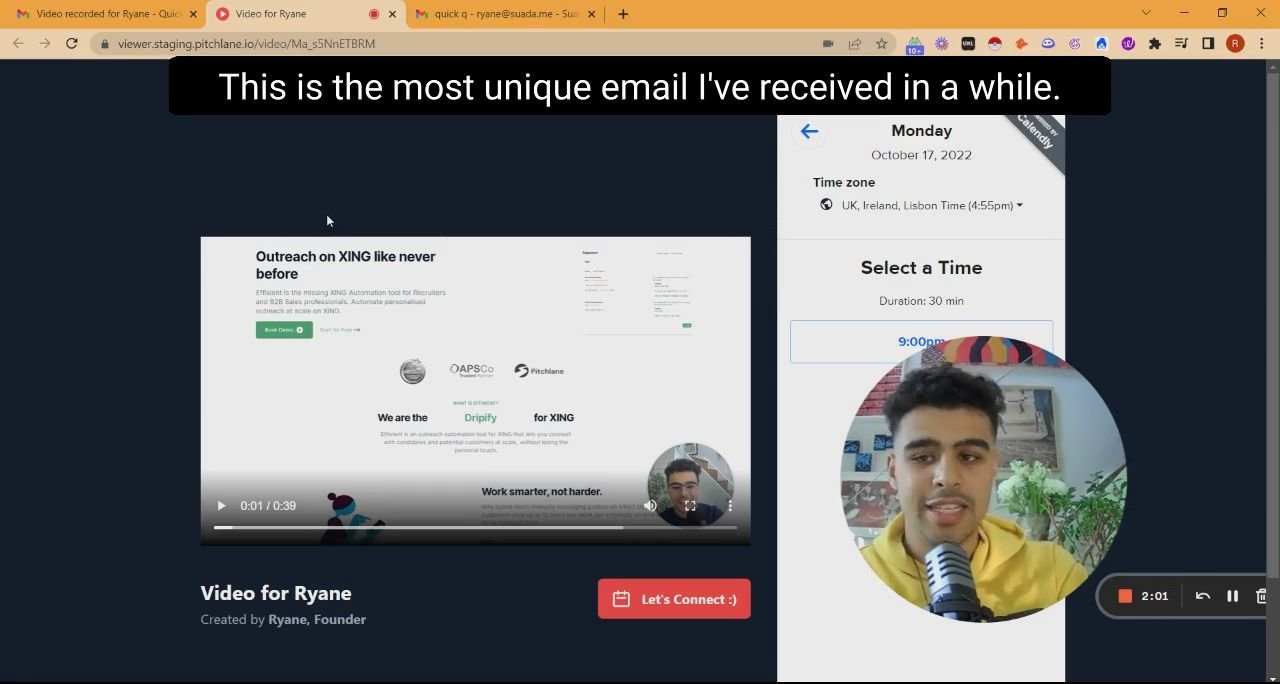
Using video for sales prospecting means adding a short, relevant video to an outbound email, LinkedIn message, or sales sequence so the prospect can quickly see why you are reaching out and what action to take next. It is most useful when the message benefits from context, proof, or a quick visual explanation.
When should sales teams use video in prospecting?
Use video when it makes the outreach more specific. A video is worth sending when you can show a prospect’s site, explain a workflow, comment on a public trigger, or follow up on prior engagement. Do not use video only because a sequence needs another step.
For the full workflow, read our complete video prospecting guide. This page is the short primer.
3 simple ways to use video for sales prospecting
1. First-touch intro
Use a short webcam or screen-recorded video to explain why the account is a fit. Keep it specific: one trigger, one problem, one next step.
2. Personalized follow-up
If a prospect opened, clicked, viewed a page, or engaged with a previous message, send a follow-up video that references the same context. The point is to continue the thread, not restart the pitch.
3. Account-specific walkthrough
Use screen recording when the prospect needs to see something: a website observation, a campaign idea, a product fit, or a quick audit. This works best for higher-value accounts where generic outreach is unlikely to be enough.
Simple video prospecting email template
Subject: quick idea for {{company}}
Hi {{first_name}},
I noticed {{specific_trigger}} and recorded a short video with one idea for {{company}}:
{{video_link}}
The short version: {{one_sentence_value}}.
Worth a quick conversation next week?
{{sender_name}}
What should the video include?
A useful sales prospecting video usually has four parts:
| Part | What to say |
|---|---|
| Context | Why you are reaching out to this account now |
| Observation | What you noticed about the company, role, or workflow |
| Value | The specific outcome or problem you can help with |
| CTA | The next step you want the prospect to take |
When not to use video
Skip video when the account is low-fit, the message is purely transactional, the prospect has not been researched, or the video would repeat the email word for word. Bad video prospecting feels like extra work for the buyer.
How Pitchlane fits
Pitchlane is for teams that want personalized video inside an outbound workflow. The core product claim is: record your pitch once, personalize for every lead. Pitchlane pushes into Instantly, Smartlead, lemlist, HubSpot, Apollo, and related workflows, so teams can add video without rebuilding the whole stack.
If you are comparing tools, read our video prospecting tools guide. If you are choosing the broader stack, see our sales outreach tools and business prospecting tools guides.
Metrics to track
- Video views and unique viewers.
- Watch time or completion where available.
- Replies and positive replies.
- Meetings booked.
- Follow-up completion.
- Opportunities created from video-touched accounts.
Frequently asked questions
Is video prospecting the same as video marketing?
No. Video marketing usually targets an audience. Video prospecting targets specific accounts or buyers in a sales motion.
How long should a sales prospecting video be?
Long enough to make one relevant point and ask for one next step. If you need several minutes, consider whether the first message is trying to do too much.
Can video be used in cold email?
Yes, but the email still needs written context. The prospect should understand why the video matters before clicking.
What are effective video prospecting tools?
Effective tools let you create, personalize, send, and track videos in the same sales workflow you already use. Pitchlane is one option when the priority is personalized video at scale.